

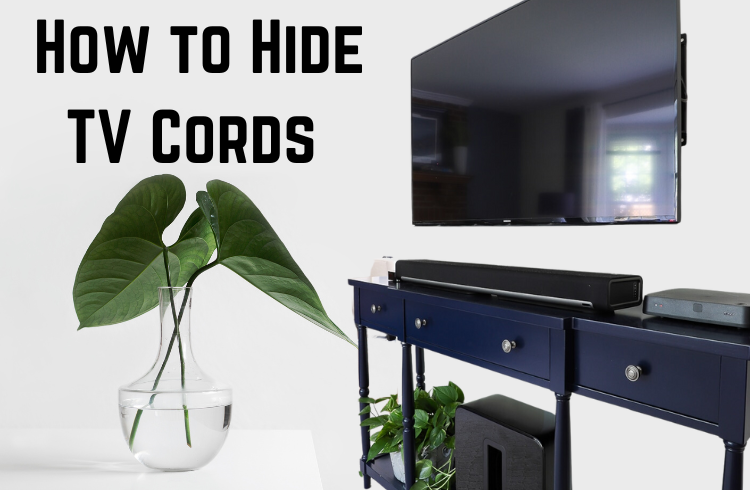
The quickest way to hide TV cords is to bundle them in one cable sleeve, run that bundle down the wall inside a paintable cord cover, and tuck the power strip into a ventilated cable management box. If you want the cables to vanish completely behind a wall-mounted TV, use an in-wall power kit that is rated for use behind drywall, because a normal TV power cord must never be pushed inside a wall.
Which method suits you depends on three things: whether the TV is wall-mounted or on a stand, whether you rent or own, and how comfortable you are cutting drywall. This guide walks through 11 proven options, roughly what each costs, how to install them, and the safety rules that catch people out.
Before You Start: Plan the Cable Route
Ten minutes of planning saves an afternoon of redoing adhesive strips. Before buying anything, stand back from the TV wall and answer these questions:
- How many cables are there? Count power, HDMI, optical, Ethernet, antenna and any subwoofer or soundbar leads. Four or more cables usually need a wider cover or a sleeve.
- Where is the nearest outlet? If it sits directly below the TV, a short vertical cover works. If it is off to one side, you will need a raceway with corner pieces along the baseboard.
- What is the wall made of? Hollow drywall allows in-wall kits. Plaster, brick, concrete or a wall with a fire block between studs makes in-wall work much harder.
- Will the setup change? If you swap game consoles or soundbars often, choose an option you can reopen easily and leave spare room.
- Do you need landlord approval? Most leases forbid cutting into walls, so renters should stick to surface-mounted fixes.
Quick Comparison: Which Method Suits You?
| Method | Best for | Rough cost | Renter friendly? | Skill level |
|---|---|---|---|---|
| Cable sleeve or zip tube | Bundling several cords | $10 to $25 | Yes | Easy |
| Paintable cord cover | Wall-mounted TVs | $15 to $40 | Yes, with removable adhesive | Easy |
| Baseboard raceway | Outlets away from the TV | $20 to $50 | Yes | Easy to moderate |
| In-wall power kit | Invisible wall-mount setup | $40 to $100 for the kit | Usually no | Moderate |
| Cord clips and ties | TVs on stands | Under $15 | Yes | Easy |
| Cable management box | Hiding power strips | $15 to $35 | Yes | Easy |
| Furniture and decor | Low-cost cover-up | Free to low | Yes | Easy |
| Recessed outlet behind TV | Permanent installs | Electrician’s rates vary | No | Professional |
11 Ways to Hide TV Cords
1. Cable Management Sleeves and Kits
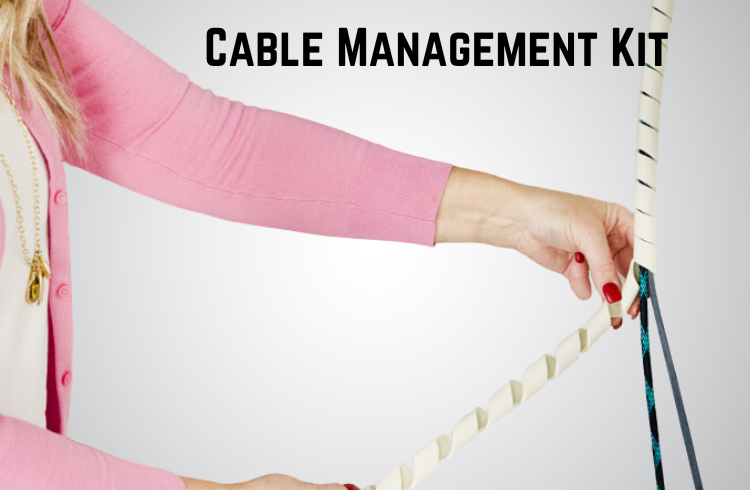
A split fabric or neoprene sleeve, or a zip-up cable tube, gathers every cord into one neat bundle. Unplug the devices, lay the cables side by side, and feed them into the sleeve starting from the TV end. Let each cable exit where its device sits. One tidy tube is far less noticeable than five loose wires, and it makes every other method on this list easier, because a cover only has to hide one round bundle instead of a flat tangle.
Tip: pick a sleeve color that matches the wall or furniture rather than the cables. A white sleeve against a white wall disappears; a black one draws the eye.
2. Paintable Cord Covers
Cord covers are slim plastic channels that stick to the wall and snap shut over the cables. They are the most popular fix for wall-mounted TVs because they need no tools beyond a tape measure and a small saw.
- Measure from the back of the TV down to the outlet or the top of your stand.
- Cut the channel to length with a fine-tooth hacksaw or the cutter supplied with the kit.
- Wipe the wall with rubbing alcohol and let it dry so the adhesive grips properly.
- Press the base onto the wall, using a level to keep it straight, and hold firm pressure for 30 seconds.
- Lay the cables inside and snap the lid closed, then paint the cover with the same wall paint.
Choose a channel one size larger than you think you need. Squeezing cables in strains the lid, and you will want room for a future HDMI or Ethernet cable.
3. Raceways Along Baseboards
Raceways are larger covers with corner, elbow and junction pieces, so you can route cables along a baseboard, around a door frame or across a room to a distant outlet. Quarter-round and baseboard-style raceways mimic trim profiles and blend in once painted. They are the best answer when your outlet is not directly below the TV, or when a gaming PC or router sits on the far side of the room.
4. Run Cables Inside the Wall (the Safe Way)
Running cords inside the wall gives the cleanest finish, but there is one rule you cannot skip: a TV’s standard power cord is not rated to be run inside a wall. The National Electrical Code does not allow flexible cords to be concealed behind walls because of the fire risk. The usual solution is an in-wall power kit, sometimes called a power bridge, which links an outlet behind the TV to a power inlet near the floor using in-wall rated cable. Low-voltage cables such as HDMI and Ethernet can pass through the wall between two plates, ideally using in-wall rated (CL2 or CL3) versions.
- Use a stud finder to choose a bay between two studs, and check for pipes, existing wiring and horizontal fire blocks.
- Mark an upper opening behind where the TV will hang and a lower opening near the outlet or stand.
- Cut both openings with a drywall saw, following the kit’s template.
- Feed the cables down using fish tape or a flexible glow rod.
- Install the wall plates, connect the power bridge exactly as the instructions describe, and then mount the TV.
If the wall is plaster, brick or contains a fire block, or if you are not comfortable working near electrical wiring, hire a licensed electrician or a professional TV installer. It is a small cost compared with the risk of a hidden fault.
5. Cord Clips Behind the TV Stand
For a TV sitting on a stand, small adhesive clips on the back of the furniture guide cords neatly down to the outlet. Run each cable along a leg or the rear panel so nothing is visible from the sofa. Hook-and-loop straps every 12 inches or so keep the bundle from sagging.
6. A Cable Management Box
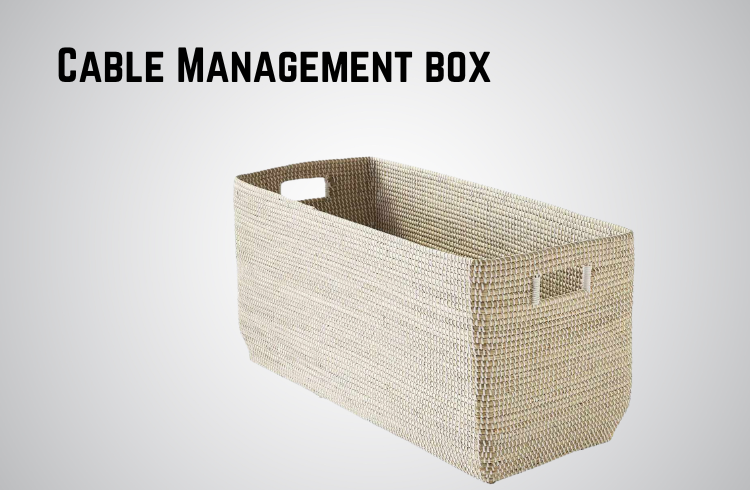
The power strip is often the messiest part of any setup. A cable management box hides the strip and any extra cable length, with slots on each side for cords to enter and exit. Look for one with ventilation holes, and keep the strip’s switch reachable so you can turn everything off when you travel.
7. Furniture With Built-In Cable Management
Many modern media consoles include rear cutouts, vertical channels and closed compartments designed for cables. If you are shopping for new furniture anyway, prioritize these features; our guide to TV units for housing your media gear covers what to look for, including ventilation for consoles and receivers.
8. A Power Strip Inside a Cabinet or Drawer
Drill a cable hole in the back panel of your cabinet near the outlet; a 2-inch hole saw finished with a plastic grommet looks tidy. Mount the power strip inside with screws or heavy-duty double-sided tape, plug in your devices, and run a single cord out to the wall. Leave gaps around heat-producing devices such as game consoles and cable boxes so they do not overheat.
9. A Recessed Outlet Behind the TV
A recessed outlet sits flush inside the wall, so plugs no longer push a wall-mounted TV forward. Pair it with a recessed low-voltage plate and the TV can sit almost flat against the wall. Adding a new outlet is electrical work that usually requires a licensed electrician and, in many areas, a permit.
10. Decor That Disguises Cords
Plants, books, baskets and framed photos on a console under the TV can screen the last few inches of cable. A slim console table under a wall-mounted TV gives you a surface for decor and somewhere to hide a power strip. Tall plants beside the TV can also mask a vertical cord cover.
11. Cut the Number of Cables
The best cable is the one you do not need. Built-in smart TV apps, a streaming stick that plugs straight into the HDMI port, Wi-Fi instead of Ethernet, and a soundbar connected through HDMI ARC or eARC can all reduce the number of boxes and wires. Setting up streaming apps directly on the TV, as covered in our IPTV setup guide for Android TV, can remove a set-top box entirely.
Choosing the Right Approach for Your Setup
Wall-mounted TV, renting: bundle cables in a sleeve, run them down a paintable cord cover to a console or cabinet, and hide the power strip in a cable box. Use removable adhesive strips so everything comes off cleanly when you move out.
Wall-mounted TV, homeowner: an in-wall power kit plus a pass-through plate for HDMI gives a truly wire-free wall. Plan routes before mounting the TV, since cutting openings is much easier while the wall is clear. Leave a spare cable or pull string inside for future upgrades.
TV on a stand: position the stand close to the outlet, use clips down the back, and mount a power strip inside the cabinet so only one cord reaches the wall. A stand with a rear cable channel makes this almost effortless.
Corner or above-fireplace TV: heat and masonry make in-wall routing difficult. Use a raceway down the side of the chimney breast, painted to match, and keep cables away from the firebox.
Safety Checklist
- Never run a standard power cord or extension cord inside a wall; use an in-wall rated kit.
- Do not cover power strips or devices completely; heat needs somewhere to go.
- Avoid daisy-chaining power strips together.
- Check that the TV mount is screwed into studs before routing cables behind it.
- Keep cables away from radiators, fireplaces and sharp metal edges.
- Turn off power at the breaker before working near an existing outlet.
Common Mistakes to Avoid
- Overstuffing covers, which makes future changes hard and traps heat
- Cheap adhesives that fail in warm rooms; clean the wall with rubbing alcohol first
- Blocking vents on cable boxes, consoles or streaming devices
- Cutting cables too short with no slack for tilting or moving the TV
- Buying covers before counting cables, then finding they are too narrow
Tips for Keeping a Cord-Free Look
Label both ends of each cable so troubleshooting takes seconds. Use reusable hook-and-loop straps rather than zip ties, which have to be cut every time something changes. Leave a pull string inside the wall or raceway for future cables, and check cords once or twice a year for fraying or kinks. For more ideas for your home, browse our Lifestyle category.
Frequently Asked Questions
How can I hide TV cords without cutting into the wall?
Use a paintable cord cover or raceway on the wall, bundle the cables in a sleeve, and hide the power strip in a cable management box or behind furniture. All of these can be removed later without major damage.
Is it safe to run a TV power cord inside the wall?
No, not a standard power cord. Flexible cords are not rated for concealment inside walls. Use an in-wall power kit rated for use behind drywall, or have an electrician install an outlet behind the TV.
Can HDMI cables go inside the wall?
Yes. Low-voltage cables like HDMI and Ethernet can run through the wall between wall plates. In-wall rated cables, marked CL2 or CL3, are the best choice.
What is the best way for renters to hide TV cords?
Removable adhesive cord covers, cord clips, cable sleeves, a cable management box and smart furniture placement all work without damaging the walls. Check your lease before drilling any holes.
How do you hide cords around a door frame?
Use a slim raceway with corner pieces along the baseboard and up the side of the frame, then paint it to match the trim so it reads as part of the molding.
Bottom Line
For most people, a cable sleeve, a paintable cord cover and a cable management box will hide TV cords neatly for under $75 in an afternoon. If you own your home and want a truly invisible result, use a proper in-wall power kit or call an electrician, and never push a standard power cord behind the drywall.