

A well-designed employment application template helps employers collect consistent information from every candidate. It can make applicant comparisons easier and reduce missing details during early screening. U.S. employers should also review each question for federal, state, and local compliance.
Direct answer: A U.S. employment application should collect contact details, position information, availability, relevant work history, education, qualifications, references, and a signed certification. Employers should avoid unnecessary questions about protected characteristics, medical conditions, family status, and other information unrelated to job qualifications.
Employment Application at a Glance
| Section | What to Collect | Main Purpose |
|---|---|---|
| Applicant information | Name, phone, email, address | Identify and contact the candidate |
| Position details | Job title, availability, preferred schedule | Confirm interest and timing |
| Work eligibility | Lawful work authorization question | Confirm basic employment eligibility |
| Employment history | Employers, roles, dates, duties | Review relevant experience |
| Education and training | Schools, credentials, certifications | Confirm job-related qualifications |
| References | Professional contacts | Support later verification |
| Certification | Accuracy statement, signature, date | Confirm applicant attestation |
A standardized form gives each applicant the same basic opportunity to provide job-related information. That consistency can help managers compare candidates using similar criteria. It also creates a clearer record of the information considered during screening.
Employers should still customize the form for each role and hiring location. State and local laws can restrict questions that federal law does not fully prohibit. Legal review is useful when a company hires across several jurisdictions.
What an Employment Application Template Should Include
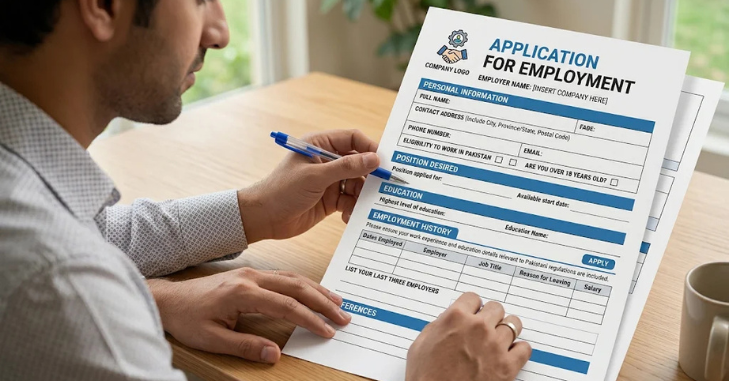
An Employment Application Template practical form begins with basic contact information and the specific position requested. Employers can also ask when the candidate can begin work and which schedules they can accept. These questions directly support the hiring decision without collecting unnecessary personal details.
The application should then focus on experience, education, licenses, and other qualifications relevant to the job. Employers can request previous job titles, employment dates, duties, and employer contact information. Questions should stay tied to legitimate qualifications or business needs.
A final certification section can ask applicants to confirm that their answers are accurate. The form may also explain that false statements can affect consideration or employment, subject to applicable law. Employers should have their preferred language reviewed before relying on it across multiple states.
Free U.S. Employment Application Form Structure
The following structure can be adapted for paper, PDF, or online hiring workflows. It works best as a starting point rather than a universal legal form. Employers should remove any field that is unnecessary for the position.
Applicant Information
Start with these basic contact fields.
- Full name
- Street address
- City, state, and ZIP code
- Phone number
- Email address
- Preferred contact method
Position and Availability
Then confirm the role and timing.
- Position applied for
- Date available to start
- Full-time, part-time, temporary, or seasonal preference
- Days available
- Hours or shifts available
- Willingness to work overtime, if relevant
- Job posting or referral source
Employment Eligibility
- Are you legally authorized to work in the United States?
- Will you now or later require employment sponsorship?
Employers should keep work-authorization screening separate from document verification. Form I-9 is completed for new hires according to federal requirements. Employers should not demand a specific acceptable document from a worker completing that process.
Education, Training, and Certifications
- School or institution name
- Location
- Degree, diploma, certificate, or credential
- Relevant field of study
- Professional licenses
- Job-related training
Education questions should match the actual requirements of the position. A degree requirement may unnecessarily limit qualified applicants when experience would meet the business need. Clear job descriptions make this section easier to design.
Employment History
For each previous employer, consider requesting these details.
- Employer name
- Job title
- Employment dates
- Main responsibilities
- Supervisor or contact person
- Business phone or email
- Reason for leaving, when relevant
- Permission to contact the employer
Employers do not need every possible detail during the first screening stage. A shorter form can improve completion rates and reduce unnecessary data collection. More detailed verification can occur later in the hiring process.
Professional References
Ask for professional references only when they support your screening process. Typical fields include the reference’s name, company, relationship, phone number, and email. Explain whether references will be contacted before an interview or later.
Some employers delay reference collection until candidates reach a later stage. This approach reduces work for applicants who will not advance. It can also keep the first application shorter.
Applicant Certification
A certification section can confirm that the applicant provided truthful information. It may also authorize verification of job-related information where legally appropriate. Add a signature and date field for paper or electronic completion.
Electronic applications can use an acknowledgment checkbox with an electronic signature process. Employers should retain application records according to applicable recordkeeping rules. Internal hiring policies should define who can access applicant information.
Questions U.S. Employers Should Avoid or Review Carefully
Federal equal employment guidance recommends limiting application questions to information needed to determine job qualifications. Questions about protected characteristics can create discrimination concerns when they are unrelated to the role. Employers should review older forms because legacy questions often remain long after hiring practices change.
Avoid asking about race, religion, ethnicity, pregnancy, family plans, or childcare arrangements. Questions about marital status can also create unnecessary legal risk. Employers generally gain little hiring value from collecting this information before employment.
Disability-related questions require special care. Before a conditional offer, employers generally cannot ask whether an applicant has a disability or require a medical examination. They may ask whether the applicant can perform specific job functions, with or without reasonable accommodation.
Age and birth-date questions can also raise concerns. Federal law does not automatically ban every age inquiry, but the EEOC warns that such requests can suggest discriminatory intent. Ask only when age information has a legitimate legal or job-related purpose.
Criminal-history questions require state and local review before inclusion. Many jurisdictions have fair-chance or “ban-the-box” requirements affecting when employers may ask about records. A single nationwide form may therefore need location-specific versions.
Salary-history questions also vary by jurisdiction. Several states and local governments restrict employers from requesting previous compensation information. Employers should confirm the rules covering every location where the form will be used.
Employment Application Template vs. Resume
An application and a resume serve different purposes during hiring. A resume lets the candidate decide how to present experience and achievements. An application asks every candidate for the same categories of information.
| Feature | Employment Application | Resume |
|---|---|---|
| Format | Standardized by employer | Chosen by candidate |
| Information collected | Consistent fields | Candidate-selected details |
| Signature or certification | Often included | Usually absent |
| Best use | Structured screening | Experience and achievement review |
| Customization | Employer controls fields | Candidate customizes content |
Many employers use both documents rather than choosing only one. The application supplies consistent information for screening and recordkeeping. The resume adds context about achievements, responsibilities, and professional development.
How to Customize the Form for Your Business
Start by removing fields that do not help you evaluate candidates. Every question should connect to a job requirement, scheduling need, legal requirement, or later verification step. This approach makes the form easier for applicants and hiring managers.
Next, match the application to the specific role. A warehouse job may require availability and job-related certifications, while a design role may request a portfolio. Avoid adding fields simply because another company’s application includes them.
You should also decide when each piece of information is necessary. References, background-check paperwork, and some verification details can often wait until later. Collecting less information during the first stage reduces applicant friction.
Hiring managers can also read things an HR manager should consider while hiring before finalizing the form. Teams that screen many applicants may also find the benefits of an applicant tracking system useful for managing submissions.
Paper, PDF, or Online Application?
Paper forms still work for businesses that accept walk-in applicants. They are simple to distribute and require no digital setup. They can become harder to store, search, and compare when application volume increases.
PDF applications give employers a consistent layout while allowing digital distribution. Fillable fields can make completion easier on computers. Employers should test mobile usability because many applicants use phones.
Online forms offer the most flexibility for structured data collection. Employers can make fields required, allow resume uploads, and route submissions automatically. Accessibility, privacy, and secure storage should be considered before launching the form.
A Simple Review Checklist Before Publishing
Before using a form, review every field from the applicant’s perspective. Remove questions that do not affect qualifications or hiring logistics. Then confirm that remaining questions match current rules in each hiring location.
Use this checklist before publishing:
- Confirm every question has a business purpose.
- Remove protected-characteristic questions.
- Review disability and medical inquiries.
- Check state and local criminal-history rules.
- Check salary-history restrictions.
- Confirm work-authorization wording.
- Test mobile and desktop completion.
- Review privacy and storage controls.
- Confirm application record-retention practices.
- Ask employment counsel to review location-specific issues when needed.
A short compliance review can prevent outdated questions from remaining on a form. It also helps hiring teams use consistent screening standards. Managers should receive guidance on how application information may be considered.
Create a Clearer Hiring Process
A good application form collects enough information to evaluate candidates without asking for unnecessary personal details. The strongest forms are concise, job-related, accessible, and reviewed for the locations where they will be used. They also fit naturally into the employer’s wider screening process.
Use the structure above as a starting framework for your next hiring form. Review each question before publishing it, especially when hiring across multiple states. For more practical company-focused reading, browse the Business section of My URL Pro and related guides.
FAQ About Employment Application Templates
What should an employment application template include?
It should include applicant contact details, position information, availability, work history, relevant education, qualifications, and certification language. References can also be included when they support the hiring process. The form should avoid collecting unnecessary personal information.
Can an employer ask about disability on a job application?
Employers generally cannot ask pre-offer questions about whether an applicant has a disability. They can ask whether the person can perform specific job duties, with or without reasonable accommodation. Different rules apply after a conditional job offer.
Should a job application ask for a Social Security number?
Most employers do not need a Social Security number during the initial application stage. Sensitive identifying information creates additional privacy and security responsibilities. Employers can collect required information later when legally necessary.
Can employers ask about criminal history?
The answer depends on the hiring location and applicable law. Many states and cities restrict when criminal-history questions may appear during hiring. Employers using one form nationwide should review local fair-chance requirements.
Is an application form the same as a resume?
No, although employers often use both during hiring. An application gathers standardized information chosen by the employer. A resume gives candidates more control over how they present experience and achievements.